 FileSquirrelAI
Your AI changed your files. Put them back.
FileSquirrelAI watches the folders you choose on your Windows PC, shows which AI agent changed each file, and undoes an agent's whole session after you review it.
Free and Pro, side by side
For your first 30 days you have everything in Pro. After that, the record stays free, and Pro keeps every new change undoable.
| Feature | Freeafter the trial | Pro$19 one-time |
|---|
Without Pro, copies already kept can still be put back; new changes can't be undone. Pro covers version 1.x on your own Windows PCs, with a full refund for 30 days.
Works with the agents you use
Every one of these is tested by us, from the agent's edit to the undo. You can add your own in Settings.
Three steps
1. Pick a folder
Setup takes a minute.
- Choose the folder your AI works in.
- Undo is turned on for it straight away.
- Connect Claude Code, Codex and Claude Desktop if you like.
2. Let your AI work
Use it as usual.
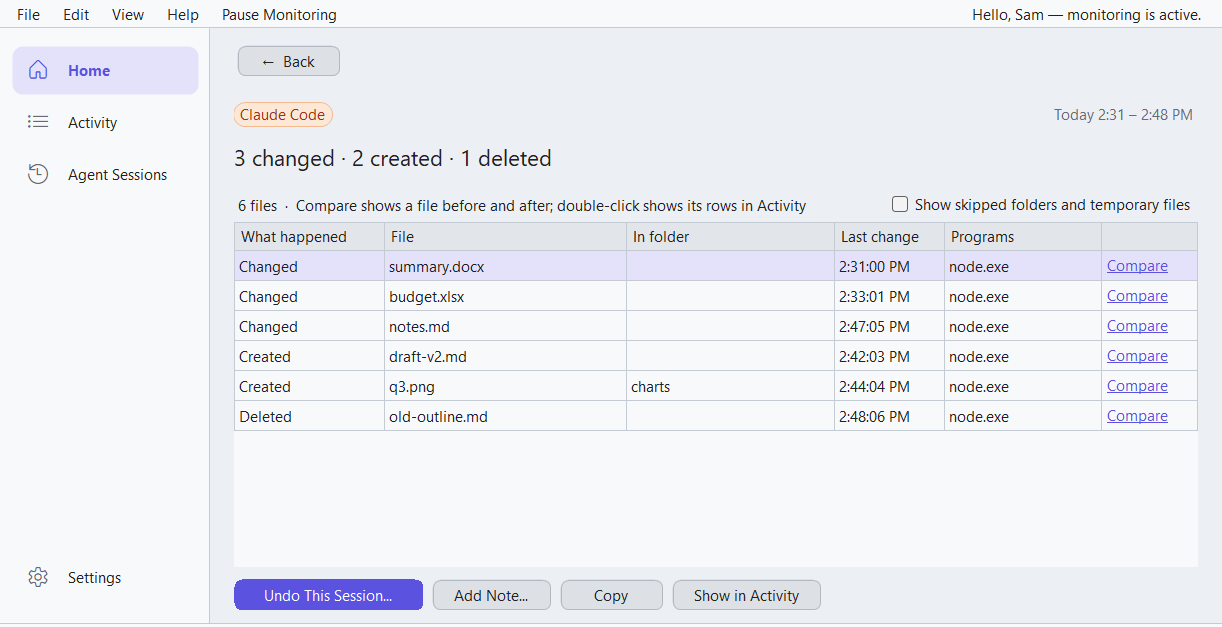
- Each session shows up on Home as a card.
- Protected at a glance, or a plain note of what to fix.
- Quiet in the tray until something deserves a look.
3. Review, then undo
Nothing changes until you confirm.
- Review every file the session touched.
- Keep what you like, put back the rest.
- Files it created go to the Recycle Bin.
No account, no cloud
The log and the copies stay on your PC, within limits you set.
Nothing about your files leaves
All it asks the internet is whether a newer version is out.
Signed by DistillAI
The installer and the programs are signed, so you can check who made them.
What you need
Windows 10 or 11 (64-bit)
Installing needs an administrator's OK, once.
Turn undo on before you need it
Only sessions after undo was on for a folder can be undone. Setup does this for you.